Vercel meets
Home Assistant
Monitor deployments, audit best practices, and track domain health for all your Vercel projects — right from your Home Assistant dashboard.
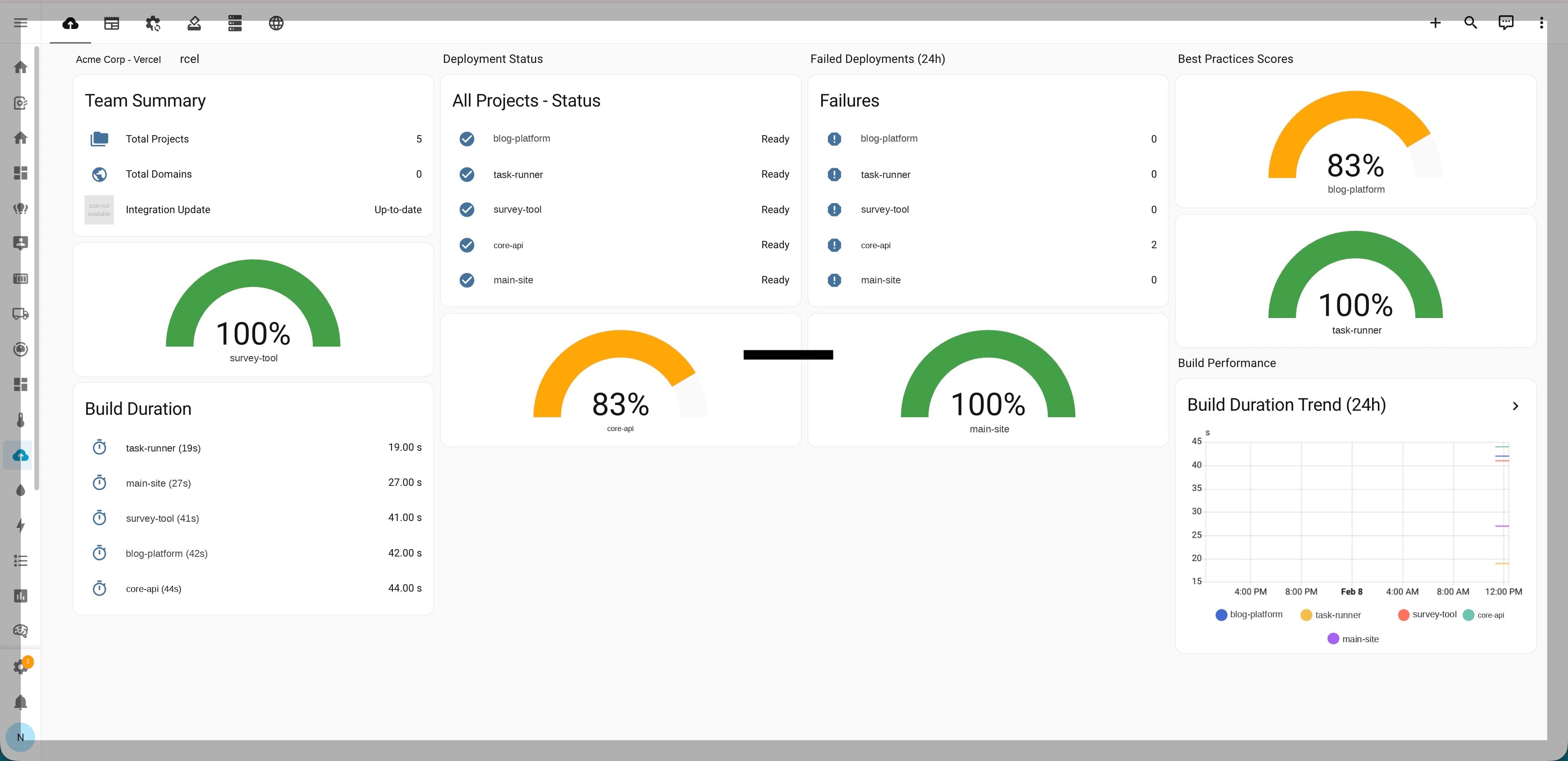
Real dashboard showing deployment monitoring, best practices scoring, and build performance
Everything you need
Full visibility into your Vercel infrastructure from Home Assistant.
Deployment Monitoring
Track deployment status, build duration, and source across all your Vercel projects in real time.
Best Practices Audit
Get a 0-100 score per project checking framework detection, Node.js version, env var security, and more.
Domain Health
Monitor DNS configuration, SSL certificate validity, and domain health across all connected domains.
Project Overview
See framework, Node.js version, active deployments, and failure rates for every project at a glance.
HACS Compatible
Install through HACS with one click. Follows Home Assistant integration quality standards.
Reauth Support
Expired tokens? The integration detects auth failures and walks you through re-authentication automatically.
Entities
15 entities created automatically for each configured account.
| Entity | Type | Scope |
|---|---|---|
| Deployment Status | Sensor | Per project |
| Deployment URL | Sensor | Per project |
| Build Duration | Sensor | Per project |
| Deployment Source | Sensor | Per project |
| Active Deployments | Sensor | Per project |
| Failed Deployments | Sensor | Per project |
| Framework | Sensor | Per project |
| Node Version | Sensor | Per project |
| Best Practices Score | Sensor | Per project |
| Best Practices Issues | Sensor | Per project |
| Total Projects | Sensor | Account |
| Total Domains | Sensor | Account |
| Domain Healthy | Binary Sensor | Per domain |
| SSL Valid | Binary Sensor | Per domain |
| Domain Misconfigured | Binary Sensor | Per domain |
Quick Install
Install via HACS in three steps.
Add custom repository
In HACS, add NathanOwen3225/ha-vercel as a custom repository (Integration type).
Install the integration
Search for "Vercel" in HACS and click Install.
Add your API token
Go to Settings → Integrations → Add → Vercel. Enter your Vercel API token.